
Gmail Download v.2019.06.09.254811277
- Updated
- Version 2019.06.09.254811277
- Size 25.9MB
- Developer Google LLC
- Genre Link
- Google Play

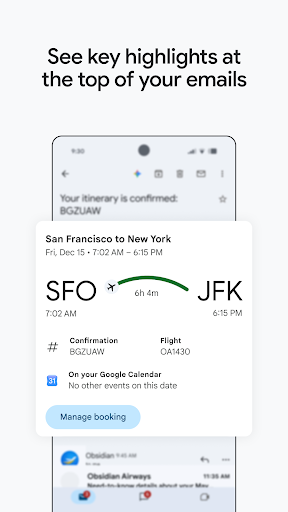
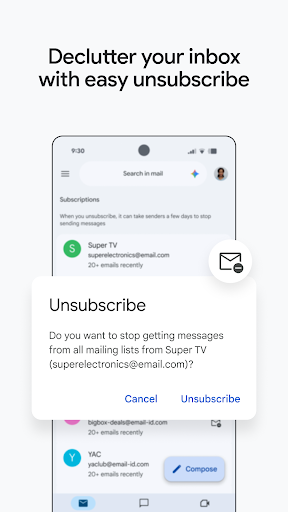
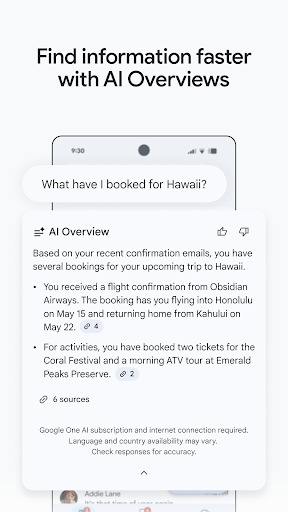

Gmail is Google’s official email application, trusted by billions of users worldwide for fast, secure, and reliable email management. The app combines powerful search, AI-powered productivity tools, spam protection, and seamless integration with Google services, making it one of the best email clients for Android devices.
Whether you’re managing personal emails or business communications, Gmail helps you stay organized across multiple accounts from a single, easy-to-use interface.
Key Features
Multiple Email Accounts
Manage multiple email accounts in one place, including:
- Gmail
- Outlook
- Yahoo Mail
- Exchange
- IMAP & POP3 accounts
Switch between accounts with just one tap.
Advanced Search
Quickly find emails using powerful search filters, keywords, sender names, attachments, or dates. Supported users can also use Gemini AI to locate information within Gmail and Google Drive.
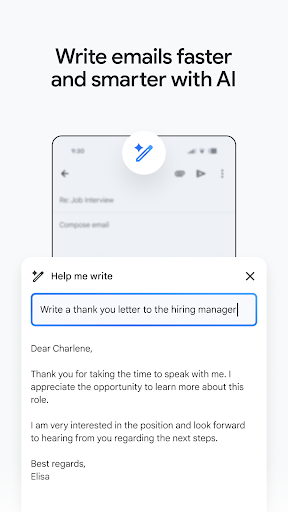
AI-Powered Writing Assistance
Boost productivity with Google Gemini features, including:
- Help Me Write
- Smart Reply
- Email suggestions
- AI-powered summaries
Available with supported Google AI plans.
Powerful Spam Protection
Gmail automatically blocks over 99.9% of:
- Spam emails
- Phishing attempts
- Malware
- Suspicious attachments
to keep your inbox safe and secure.
Smart Email Organization
Stay organized with intelligent inbox categories that automatically separate:
- Primary emails
- Promotions
- Social updates
- Notifications
making important messages easier to find.
Google Workspace Integration
Work seamlessly with other Google services, including:
- Google Drive
- Google Docs
- Google Sheets
- Google Calendar
- Google Meet
- Google Chat
without leaving the Gmail app.
Calendar Integration
Create calendar events directly from emails using the built-in Add to Calendar feature, helping you manage meetings and appointments more efficiently.
Wear OS Support
Read emails, receive notifications, and manage your inbox directly from compatible Wear OS smartwatches.
Secure Cloud Synchronization
Access your emails instantly across smartphones, tablets, computers, and web browsers with real-time synchronization.
What’s New
- Improved Gmail performance
- Enhanced AI-powered writing tools
- Better search functionality
- Faster email synchronization
- Security improvements
- Bug fixes and stability enhancements
Pros
- Free and reliable email service
- Supports multiple email providers
- Excellent spam protection
- Powerful search capabilities
- Google Workspace integration
- AI-powered productivity features
- Secure cloud synchronization
- User-friendly interface
Cons
- Some Gemini AI features require a Google AI subscription
- Internet connection required for full functionality
- Advanced AI features may not be available in all regions
Gmail Mod Info
Official Version Features:
- Multiple email account support
- AI-powered writing assistance (eligible accounts)
- Smart Reply
- Spam protection
- Advanced search
- Google Workspace integration
- Calendar support
- Wear OS compatibility
Note: Gmail is a free application. Premium AI features powered by Gemini require eligible Google AI or Google Workspace plans and cannot generally be unlocked through unofficial APK files.
Whats News of Gmail
Stay on top of the work that matters with Gmail, part of Google Workspace. With secure email as the foundation, you can also chat, collaborate with a group in spaces or make voice or video calls - all in one place.
Why Download Gmail APK?
Gmail offers one of the most secure and feature-rich email experiences available on Android. With intelligent spam protection, AI-powered productivity tools, seamless Google integration, and support for multiple email providers, it’s the ideal choice for both personal and professional email management.